

Instagram highlights show what stories you have collected and saved for your followers to see. The name and cover make it easy to find what they are looking for.
Are you looking for the perfect highlight covers? Here are some ideas you can use and copy for free!
Disclosure: This post may contain affiliate links, meaning if you decide to purchase via my links, I may earn a commission at no extra cost to you. Please read my disclaimer for more info.
Instagram Stories to highlight
Instagram Stories are hugely popular. Firstly, because the content is temporary (your stories are visible for 24 hours and then disappear), and secondly also because stories are often much more authentic than photos in the feed.
All those perfect images with countless filters, often taking hours to create, are, of course, not a true reflection of real life. I notice that I’m getting tired of it; all those perfect pictures in the feed. So, long live Insta Stories!
Instagram Highlight Ideas
Through Stories, Instagram users often share less-than-perfect content, or they use them to vlog. Since your stories disappear after 24 hours, it can be interesting to highlight (and pin) certain stories on your Instagram profile.
Highlights appear as circular icons under your profile bio, acting like a “best of” or categorized shelf for your best stories content, allowing followers to view them anytime.
Before you get started, it’s a good idea to think about the categories you want to use. For example: “travel,” “behind the scenes,” “tips & tricks,” “new,” “me,” “friends for life,” etc.
You can highlight your Insta Story by clicking the heart icon under “Highlight,” after which you can add your photo or video to a highlight so it stays permanently on your profile.
Or, it’s also possible to create them from your Story Archive by tapping the + New button on your profile, selecting stories, naming the highlight, and choosing a custom cover image.
How to create the most beautiful covers for your Insta Stories Highlights
If you don’t have covers for your highlights, your Instagram account can look a bit messy. We don’t want that, right?
You can easily edit a highlight cover by clicking on your highlight and then choosing to edit the cover. But how do you create beautiful covers yourself, quickly and easily? Well, you can do this using either the Canva app or the desktop version; the explanation below is for the desktop. Oh, and by the way, it’s free, which is always nice to know 🙂
Step 1 → Go to Canva
Step 2 → Create an account or log in
Step 3 → Click on “Create a design” and then select “Use custom dimensions”
Step 4 → Enter 1080 and 1920 and click on “Design”
Step 5 → Click on “Background color” and then on “Document color.” Here you can enter your own brand color or choose a template color that you like.
Step 6 → Click on “Elements” and then on “Icons.” Here you can choose icons that match your Highlight Covers. Of course, you can also upload your own icons and place them in the template. Via Iconfinder, you can easily download free icons (and with more than 100,000 icons, you’ll have plenty of choice).
Step 7 → Click on “Add a new page” if you want to create another one, or click on “Download.”
Now your design is ready, and we’ll head back to Instagram.



Free icons from freepik.com
Cute Highlight Covers For Instagram
Upload the image to your Stories, click the heart icon to highlight it, create a new highlight, or add the image to an existing highlight. Then go to your own Instagram profile, click on the highlight, and select “Edit Highlight.” Here you can choose the cover.
Don’t want to upload the image to your Stories? Then go to your highlight, choose “More,” then “Edit Highlight,” and “Edit Cover.” From there, you can also upload an image directly from your phone and set it as the cover.
Also, don’t forget to update the name of your Story Highlights!
Highlight Covers Instagram
Now you know how to save your favorite moments to your profile as permanent “Highlights”.
Instagram Stories are colorful, full-screen photos and videos that appear at the top of your feed, designed to capture authentic moments throughout your day. Unlike permanent grid posts, Stories provide a low-pressure way to connect with followers through content that disappears after 24 hours, similar to other platforms like Snapchat.
If you need more story ideas, you can check this Instagram Story Idea post.
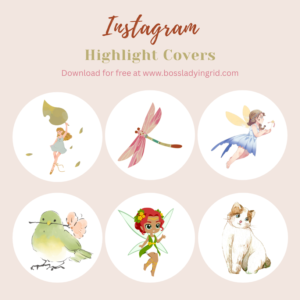
These Highlights are made by me, and you can download them for free
Instagram Highlight Covers For Free
I have been looking a long time for cute highlight covers for Instagram, and I found them on Canva! I created these sets for you, so anyone can download and copy them.
Simply click the link below, and you will be redirected to Canva. From there, you can download them, but you can also edit them first if you like. Canva is free to use (Canva Pro is not needed). It works best if you have the Canva app before you try to download these highlight covers.
Download all 36 highlight covers here (for free)
For more images, go check out Canva on your computer (this always works better) and search in “elements” for “watercolor”. Elements is on the left side, right under “Design”. This is where I found these beautiful images, and Canva has a lot more, all for free!
Highlight Emoji Instagram ₍^. .^₎Ⳋ
I often wondered how people created a cute cat like this: ₍^. .^₎Ⳋ
Don’t you just love these cute emojis? 𓏲ּ𝄢 𖹭 I’ve seen them before, but never knew how people made these.
╰┈➤ Well, it turns out you can copy them from websites, for free. Who knew!
(˶ˆᗜˆ˵)
Simply copy and paste any emoji you like; you can find them all on the website “emojicombos.”
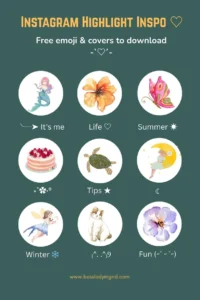
You can also use an emoji, or a combination of emojis, by visiting this website. Just copy any emoji you like! The most relevant ones appear first, and I also found a lot of extra emojis I was looking for in the search bar. You can go give it a try ◝(ᵔᵕᵔ)◜
I think this might work best on your computer. Just in case you can’t find them on your phone, try it on a laptop instead. 𑣲
Black Highlight Covers Instagram
There are so many ways to make your highlights look beautiful, using a simple icon, an illustration, text, or a photo. I hope this post has helped you get started.
What I personally like to do is darken photos and use them as covers. I do this in Canva by placing the photo on a black background and then setting the photo’s transparency to 50%. This way, the photo becomes darker.
You can use any color as a theme; pink, green, blue, and white are also popular choices.
Enjoy making your own unique highlights!
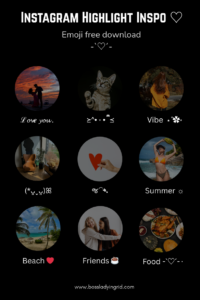
“Curate your story, one highlight at a time.”